

RELIABLE TELEPHONE SYSTEMS IN MELBOURNE

UNIFIED COMMUNICATION SOLUTIONS FOR BUSINESS


At Action-Priority, we provide expert telecommunication solutions that keep your team connected, productive, and efficient. Whether you need a cloud-based phone system, an on-premise PBX, or enterprise-grade communication tools, our team designs, installs, and supports tailored solutions for businesses across Melbourne and Victoria.

AVAYA CLOUD OFFICE


Avaya Cloud Office logo with

WHY CHOOSE AVAYA CLOUD OFFICE

Avaya Cloud Office is a comprehensive communication platform that offers unified communications as a service (UCaaS). It is designed to meet the diverse needs of businesses and offers several compelling reasons for choosing it:

  1. Unified Communications: Avaya Cloud Office integrates calling, messaging, and meetings into one app, making it easier for your team to stay connected and communicate effectively.
  2. Flexibility and Scalability: It can scale according to your business needs. As a cloud-based solution, it offers the flexibility to add or reduce services or users as per business requirements without the need for substantial hardware changes.
  3. Reliability and Security: Avaya Cloud Office offers high reliability and enterprise-grade security features, ensuring your communication data is protected. It also guarantees high uptime, which is crucial for businesses that depend on constant communication.
  4. Integrations: It provides seamless integration with popular business tools like Office 365, Salesforce, Google Workspace, and more, which can significantly improve efficiency and workflow.
  5. Cost-effective: As a cloud-based service, it eliminates the need for maintaining a physical PBX system, which can be expensive to manage and maintain. You pay for what you use, which can help reduce communication costs.
  6. User-friendly: It offers a user-friendly interface that's easy to use, even for people who are not tech-savvy. This simplifies the process of onboarding new users.
  7. Global Reach: Avaya Cloud Office offers a global reach, providing unified communications solutions to businesses irrespective of their geographical location.
  8. Customer Support: Avaya has a reputation for providing good customer support, which can be crucial when you encounter issues or need help setting up and using their services.

Why Avaya Cloud Office

If you're interested in learning more about Cloud Telephony and how it can benefit your business, contact Action-Priority for more information and for a free analysis of your current telecommunications structure and pricing. Our team of experts can help you decide which cloud telephony solution is best suited for your business needs. We'll assess your current telecomunications structure and pricing, provide you with detailed insights and cost savings analysis, and help you make an informed decision. With our help, you can be sure that you're getting the most out of your cloud telephony investment.

Multiple screens and smartphones showing video calls and communication software interfaces with people.
Buildings with three clouds.

FEATURES OF AVAYA CLOUD OFFICE

Avaya Cloud Office offers a robust set of features designed to enhance communication and collaboration. Here are some of the key features:

  1. Voice & Video Calling: Avaya Cloud Office allows you to make and receive high-quality voice and video calls. It also supports call forwarding, caller ID, call flip, call park, and more.
  2. Team Messaging: You can create team chat rooms to send messages, share files, and collaborate on tasks. This can improve team coordination and productivity.
  3. Online Meetings: You can host online meetings with video conferencing and screen sharing. This can be useful for remote teams and for businesses that work with clients in different locations.
  4. File Sharing & Collaboration: You can share files and collaborate on documents directly within the platform, making it easier for teams to work together on projects.
  5. Integration with Other Applications: Avaya Cloud Office can be integrated with various popular business apps like Google Workspace, Office 365, Salesforce, and more, enhancing productivity by allowing you to access and manage these apps from a single platform.
  6. Mobility: Avaya Cloud Office offers a mobile app that lets you access your communications system from anywhere using your smartphone. You can make calls, send messages, and even join meetings from your mobile device.
  7. Contact Center Capabilities: With Avaya Cloud Office, you can manage customer interactions more efficiently. It offers features like interactive voice response (IVR), call routing, analytics, and more.
  8. Security & Compliance: Avaya Cloud Office provides enterprise-grade security measures, including encryption and secure voice. It also offers compliance with industry regulations, ensuring that your communications data is protected.
  9. Administration & Analytics: Avaya Cloud Office provides comprehensive administration tools that make it easy to manage users and settings. It also offers analytics features that provide insights into call quality, usage, and more, helping you optimize your communications system.

These features can greatly enhance the way businesses communicate and collaborate, making Avaya Cloud Office a robust unified communications platform.

Avaya Cloud

 Avaya Cloud In Action

Avaya Cloud Office Calling

 Avaya Cloud Office App Intergrations

Black VoIP desk phone with two color LCD screens and a handset.

Avaya J159

Dark gray Avaya IP phone with a screen displaying a red interface and buttons.

Avaya J179

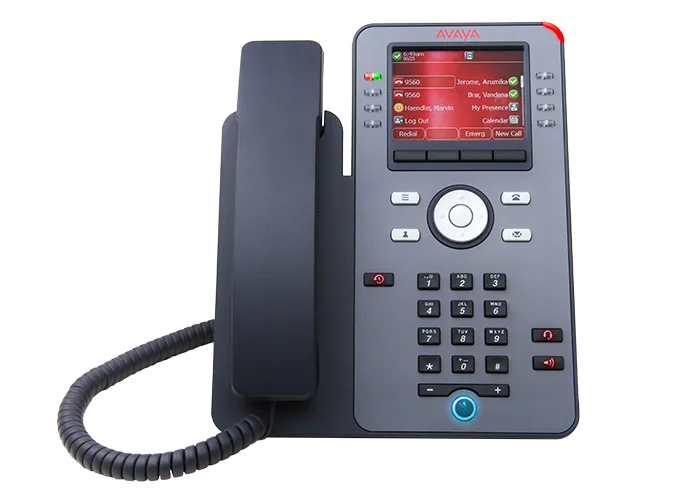
Black Avaya IP phone with color display, keypad, and handset.

Avaya J139

Avaya telephone with a black screen and multiple buttons, a USB drive is attached to its side.

JEM 24 Button Expantion Modual

Avaya conference phone with black casing, red screen displaying Avaya logo.

Avaya B199 Conferance Phone

Unlock seamless team collaboration and communication with Avaya Cloud Office. Benefit from easy integrations, comprehensive communication tools, and scalable plans tailored to your business needs.

Please call 1300 642 052 or email us at enquiries@action-priority.com.au to discuss our Avaya Cloud Office solutions.

Avaya Cloud Office Pricing


Prices are subject to change without notice Please contact us for confirmation.

Minimum 2 services required.

Pricing plans comparison chart. Four plans: Basic, Standard, Premium, and Ultimate. Includes features like minutes, support, and integrations.

ROI Calculator


Select Services Required:

Please call 1300 642 052 or email us at enquiries@action-priority.com.au to discuss Avaya Cloud Office pricing.

AVAYA IP OFFICE


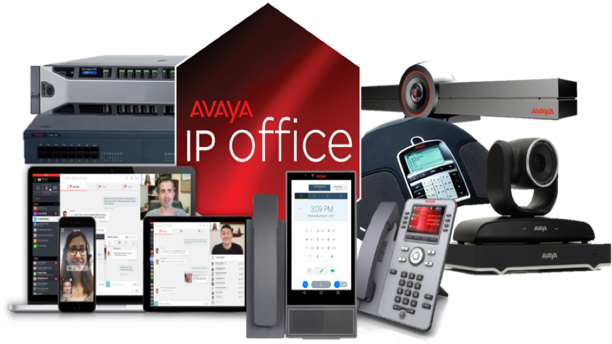
Avaya IP Office logo: red
Black telephone icon.

WHY CHOOSE AVAYA IP OFFICE

Avaya IP Office is a robust and flexible unified communications solution designed for small and medium-sized businesses (SMBs). There are several reasons why a business might choose Avaya IP Office:

  1. Unified Communications: Avaya IP Office brings together voice, messaging, video, and conferencing in one solution, making it easier to manage and use.
  2. Scalability: As your business grows, so can your communications system. Avaya IP Office supports from 5 to 3,000 users, across a single site or up to 150 locations.
  3. Mobile Integration: With Avaya IP Office, you can use your office number and capabilities wherever you go on your mobile device. This ensures consistent communication and presence even when your team is out of office.
  4. Reliability: Avaya has a strong reputation for building reliable, high-quality communication hardware and software. It has a long history in the telecom industry, which often gives businesses confidence in its products.
  5. Cost-effective: Compared to other similar offerings, Avaya IP Office can provide a more cost-effective solution for unified communications and collaboration.
  6. Support for Remote Work: In an era where remote work has become more common, Avaya IP Office supports remote workers, enabling them to stay connected and productive regardless of their physical location.
  7. Integration with Other Software: Avaya IP Office integrates well with many commonly used business software, like CRM systems, which can boost productivity and ease of use.
  8. Customizability: The system is customizable to fit the specific needs of a business. It's also compatible with a wide range of Avaya desk phones, conference phones, and wireless accessories.
  9. Security: Avaya has strong security measures in place, including end-to-end encryption, to help protect your business's communications.
  10. Customer Support: Avaya offers comprehensive support options, including phone support, an extensive online knowledge base, and professional services for implementation and training.

FEATURES OF AVAYA IP OFFICE

Avaya IP Office offers a comprehensive suite of features that cater to a variety of business communication needs. These features include:

  1. Unified Communications: Avaya IP Office allows users to check their voicemail, email, and fax messages from one inbox. It also integrates voice, video, and web conferencing features.
  2. Mobility: Users can seamlessly move from their office phone to their mobile device without disrupting ongoing calls. They can also use their mobile device to access the same communications features they have on their desktop.
  3. Multi-channel Contact Center: This feature allows businesses to manage customer interactions through multiple channels including voice, email, and chat.
  4. Video Conferencing: Avaya IP Office includes a video conferencing feature that allows for face-to-face communication, regardless of location.
  5. Call Handling and Routing: The system can intelligently route calls based on a variety of criteria, ensuring that customers reach the right people and departments quickly.
  6. Interactive Voice Response (IVR): IVR automates routine tasks, like routing calls and providing pre-recorded responses to common questions, improving efficiency and freeing up human resources.
  7. Integration: Avaya IP Office integrates with a wide variety of business applications including CRM systems, Microsoft Outlook, and Google Apps, allowing for increased productivity and streamlined operations.
  8. Security: The system includes built-in security measures such as network-based session border controller functionality, encryption, and intrusion detection to help protect your business's communications.
  9. Teleworking: Avaya IP Office supports teleworking, enabling remote employees to stay connected and productive.
  10. Scalability: Avaya IP Office can support anywhere from 5 to 3,000 users, making it a scalable solution that can grow with your business.
  11. Call Recording: Calls can be recorded for training and compliance purposes.
  12. Hot Desking: Users can log in to any phone on the network, turning it into their own phone with their personal settings and speed dials. This is particularly useful in flexible workplaces and for shift workers.

At Action-Priority, we provide Avaya IP Office solutions that are tailored to your business’s needs. We are passionate about helping companies make the most of their telecommunications and provide free analyses of their current telecommunications assessment. Our team of experts will then work with you to come up with a customised solution that will help you save time and money.
Our goal is to help you stay connected and be efficient in your operations. With our Avaya IP Office solutions, you can be sure that your business is always up to date with the latest telecommunications technology. Get in touch with us today to explore the possibilities.

Avaya IP Office In Action

 Avaya IP Office Power User Video Demo

Avaya IP Office Worker

Avaya IP Office Teleworker

Please call 1300 642 052 or email us at enquiries@action-priority.com.au to discuss our Avaya IP Cloud solutions.

ALCATEL-LUCENT OXO CONNECT

BUSINESS COMMUNICATIONS MELBOURNE

Alcatel-Lucent OXO Connect for Melbourne Small & Medium Businesses

A scalable business communication platform designed for teams that need professional call handling, mobility options, and dependable performance.

  • Local installation & support
  • Clear recommendations and setup
  • Training included


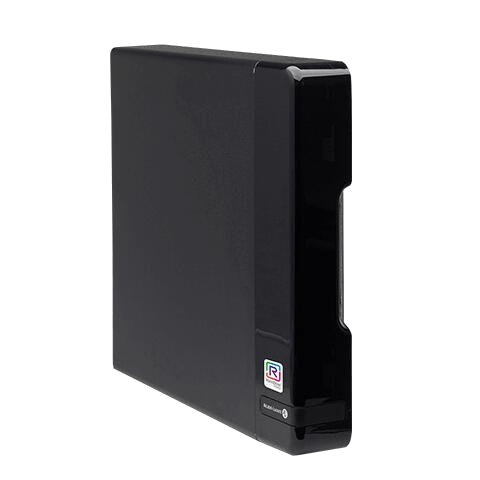
Black external hard drive. Sleek design, glossy front panel, small label visible.

Product Overview

Alcatel-Lucent OXO Connect is a modern business communication system designed to support growing teams with reliable voice services and flexible expansion options. It is ideal for offices, medical clinics, warehouses, retail stores, and hospitality venues.

Where it fits

  • Reception and customer-facing call handling
  • Office teams and professional services
  • Warehouses and multi-area sites
  • Retail and hospitality operations

See Discover OXO Connect Evolution

Entry-Level Desk Phones


Alcatel ALE 2

Black office phone with a small screen and number pad.
  • Features

    • SIP connectivity

    • 2.8” backlit screen B/W (132x64px)

    • 3 SIP lines

    • 3 contextual keys

    • 4 menu keys

    • Wideband audio

    • 4-way navigation

    • 9 function keys: Handsfree, mute, message, headset, hold, transfer, conference, redial, and hang up

    • 2 x Gig Ethernet port 10/100/1000

    • RJ-9 Headset Connector

    • PoE 1W/2W (Idle/Active) PoE Class-1

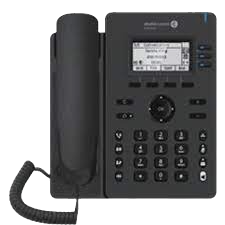
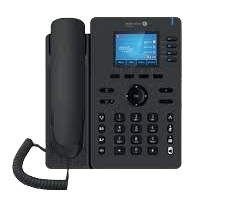
Alcatel ALE 3

Black desk phone with handset, LCD screen, and keypad.
  • Features

    • SIP connectivity

    • 2.8” backlit Colour Screen (320x240px)

    • 3 SIP lines

    • 4 contextual keys

    • 4 menu keys

    • Wideband audio

    • 4-way navigation

    • 9 function keys: Handsfree, mute, message, headset, hold, transfer, conference, redial and hang up

    • 2 x Gig Ethernet port 10/100/1000

    • USB-A Headset Connector

    • PoE 1.1W/3.8W (Idle/Active) PoE Class-2

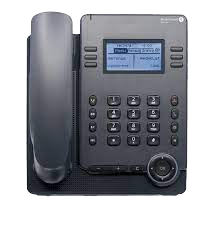
Alcatel ALE 20

Black desk phone with LCD screen, keypad, and handset.
  • Features

    • SIP connectivity

    • 2.8” backlit screen B/W (128x64px)

    • 3 SIP lines

    • 2 x 3 contextual keys

    • 4 menu keys

    • Wideband audio

    • 8 Function Keys: Line hook, dial-pad, mute with LED, volume +/- keys, hands-free with LED, 2 personal keys with LED,

    • Redial, info and message with LED

    • 4-way navigation

    • 2 x Gig Ethernet port 10/100/1000

    • RJ-9 Headset Port / UBS-A / USB-C

    • PoE 1.2W/1.6W (Idle/Active) PoE Class-1

Enterprise Desk Phones


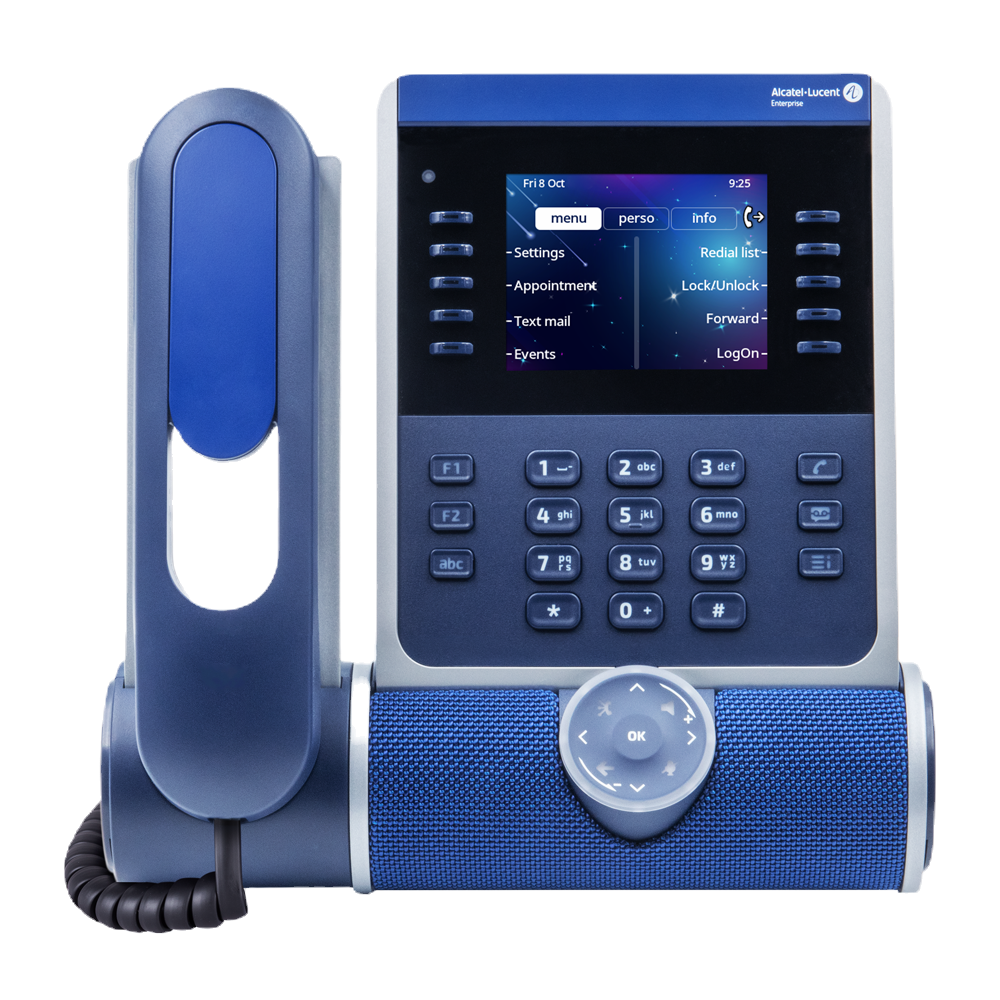
Alcatel ALE 300 IP

Blue and gray office phone with touchscreen and keypad.
  • Features

    • Large 3.5" Colour screen

    • 2x5 Contextual keys with blue LED

    • Optional alphabetical keyboard

    • Optional 2x12 key colour display module

    • HD audio using super wideband audio from speakerphone and headset

    • Cylindric sound bar with changeable colour

    • 3D audio broadcasting

    • Pair with computer and smartphone by USB or Bluetooth

    • Optional WLAN 5 and Bluetooth module with Bluetooth 5.0 for wireless headset

    • 2xUSB-C ports for wired headsets and accessories

    • VPN for secure work from anywhere

    • Gigabit Ethernet PC port

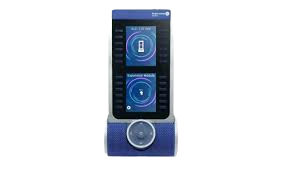
Alcatel ALE 120 MODULE 24 KEY ADD ON 

Blue and gray speaker system with a phone-like display showing a charging symbol and other options.
  • Features

    • Monitor all your customer service lines at a glance with this module

    • 24-programmable keys with LEDs.

    • The color LCD screens are very easy to read

    • Programming the keys is done electronically for easy maintenance

    • The module is connected and powered by the phone’s USB-C port

    • Connect up to 3 Panels to a handset for instant visibility of 72 extensions at a glance

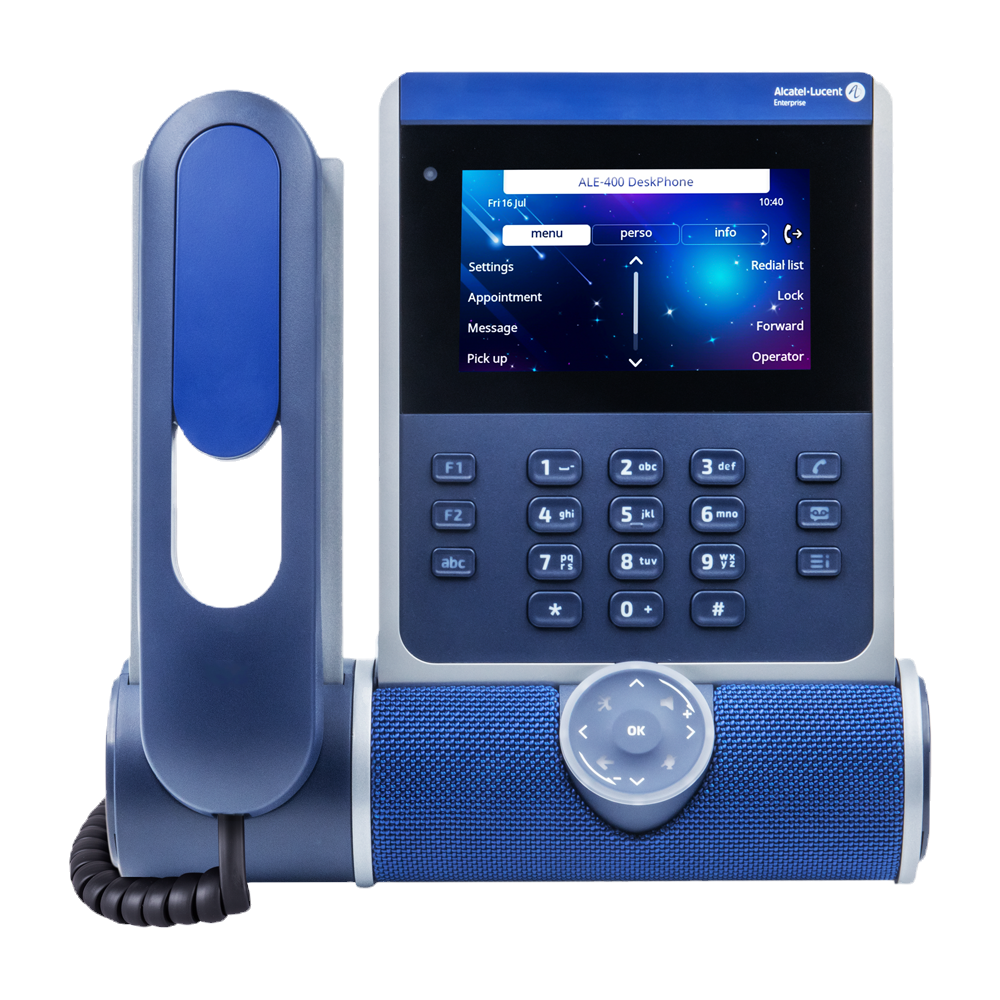
Alcatel ALE 400 IP

Blue and gray VOIP phone with touchscreen display and keypad.
  • Features

    • Large 4.3" Colour screen

    • 2x5 Contextual keys with blue LED

    • Optional alphabetical keyboard

    • Optional 2x12 key colour display module

    • Optional cordless handset

    • HD audio using super wideband audio from speakerphone and headset

    • Cylindric sound bar with changeable colour

    • 3D audio broadcasting

    • Sound capture by 3 microphones

    • Pair with computer and smartphone by USB or Bluetooth

    • Optional WLAN 5 and Bluetooth module with Bluetooth 5.0 for wireless headset

    • 2 x USB-C ports for headset & accessories

    • VPN for secure work from anywhere

    • Gigabit Ethernet PC port

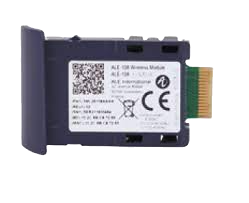
Alcatel ALE 108 MODULE BLUETOOTH/WLAN

ALE 108 wireless module with a dark blue plastic case and a gold-colored connector.
  • Features

    • Communicate wherever you want: The phone is connected in WLAN 5 to your company network, or to your internet box

    • Pair with a Bluetooth headset to communicate without a cumbersome cord

    • Insert the module in a dedicated side panel

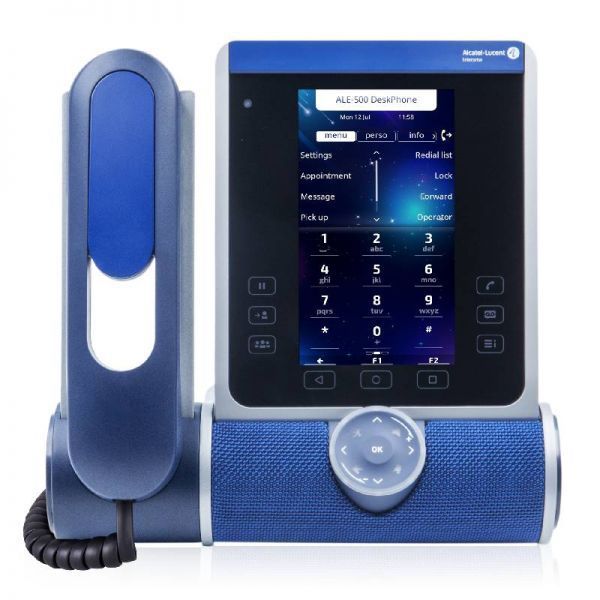
Alcatel ALE 500 IP

Blue and gray office phone with a screen, handset, and speaker.
  • Features

    • Large 5.5" TOUCH Colour screen

    • 2x5 Contextual keys & 5 programmable keys

    • Display of 2.6 additional touch buttons

    • Intuitive touch smart pad

    • Alphabetical keyboard

    • Optional 2x12 key colour display module

    • Optional cordless handset

    • HD audio using super wideband audio from speakerphone and headset

    • Cylindric soundbar with changeable colour

    • 3D audio broadcasting

    • Sound capture by 3 microphones

    • Pair with computer & smartphone by USB or Bluetooth

    • Optional WLAN 5 and Bluetooth module with Bluetooth 5.0 for wireless headset

    • 2 x USB-C ports for headset & accessories

    • VPN for secure work from anywhere

    • Gigabit Ethernet PC port

Alcatel ALE 140 CUSTOISATION KIT

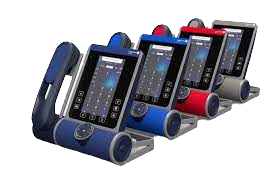
Five multi-colored touch-screen phone devices lined up, each with speakers and a handset.
  • Features


    • Available in 4 colours

       o Azure “Bright Blue”

       o Ruby “Red”

       o Factory “Grey”

       o Neptune “Deep Blue”

    • Match your handset to your environment

    • Easily replaceable by end-user

    • Gigabit Ethernet PC port

Key Features & Benefits

A professional capability set designed for dependable day-to-day business communications.

Scalable growth

Add users and capabilities as your team expands.

Modern connectivity

Flexible connectivity suitable for modern business networks.

Business-grade reliability

Designed for consistent performance in busy environments.

Multi-site ready

A strong fit for businesses operating across more than one location.

Local support

Installation, setup, and ongoing support available locally in Melbourne.

Why Choose Us

Local Melbourne service focused on smooth rollout, training, and dependable support.

Service areas

Dandenong • Dandenong South • Clayton • Oakleigh • Moorabbin • Springvale • Keysborough • Mulgrave • Hallam • Noble Park • Braeside • Pakenham • Rowville • Bayswater • Scoresby • Ringwood • Knoxfield • Wantirna • Lysterfield • Croydon • Kilsyth • Vermont • Blackburn • Port Melbourne • Bangholme • City of Melbourne • City of Port Phillip • City of Yarra • City of Banyule

Service Areas Across Melbourne

We supply, install and support Alcatel‑Lucent OXO Connect business phone systems across Melbourne’s south‑east, east, inner suburbs and surrounding business districts.

FAQ

  • Is OXO Connect suitable for small businesses?

    Yes — it is designed to support SMB environments and can scale as your business grows.


  • Can you install and configure the full system?

    Yes — installation, configuration, testing, and training are included.


  • How long does installation take?

    Most SMB installations are completed within one to two days depending on site size.


  • Do you provide ongoing support?

    Yes — ongoing local support is available for adjustments and expansion.


Ready to upgrade your business communications?

Contact us today for a tailored OXO Connect solution for your Melbourne business.

Please call 1300 642 052 or email us at enquiries@action-priority.com.au to discuss our Alcatel cloud-based solutions.

WHY CHOOSE ACTION-PRIORITY FOR TELEPHONE SYSTEMS?


  • WHAT MAKES YOUR TELECOMMUNICATION SOLUTIONS DIFFERENT?

    We provide tailored solutions for Avaya Cloud Office, Avaya IP Office, and Alcatel-Lucent Oxo Connect, combining expert consultation, professional installation, and ongoing support.

  • CAN I INTEGRATE CLOUD AND ON-PREMISE SYSTEMS?

    Yes. We integrate cloud telephony, on-premise PBX, mobile apps, and contact centre solutions into a single seamless communication ecosystem.

  • DO YOU PROVIDE ONGOING SUPPORT?

    Absolutely. We offer maintenance, training, upgrades, and rapid local support across Melbourne and Victoria.

  • ARE YOUR SOLUTIONS SUITABLE FOR SMALL AND LARGE BUSINESSES?

    Yes. Our systems are scalable and flexible, serving small offices, multi-site enterprises, and large-scale call centres.


Boost productivity and stay connected with Action-Priority’s advanced telephone systems.


CONTACT US TODAY for a free assessment of your current telecoms setup, expert recommendations, and a customised solution that fits your business needs.

Get your telephone system installed by experts – call 1300 642 052.